


Windows 8 has land up on earth with some awesome
new feature which you are loved to listen. It
is released with the all new feature and comes with a new generation in the
technology of computer’s operating systems (OS).
Windows
8 is very advance user-interface which is very interesting & user-friendly.
It’s added with a new metro UI feature a part of the main windows interface.
Here
are some Interesting features of windows 8 which you love to listen:
1).
New Metro UI Feature

Windows 8 comes with a new style of interface
a Metro UI. It replaced the start menu from the windows. In metro UI all
app arrange in such a order that you can use easily get thus and the good
feature is you can arrange it also as your style. The Good feature of Metro UI
is the save of time you can save your time with browsing and do a lot more
directly in a full screen view.
2).Windows
Boot Timing

Windows
8 come with incredible Boot time as compare to older version of windows.
Windows maker makes the windows 8 with less to less boot time so that it shows
uniqueness in all windows. The boot time make the unique in all computer and
windows 8 comes with that uniqueness.
3).New
Logon Screen

Windows
8 has a very cool user friendly logon screen with modern style of UI. The
logon screen have come up with much better security than ever before and
improve the login system user can use gesture as well as pin password for login
the windows. This enhances the security of windows 8.
4).Improved
In Windows Search

In
Windows 8 there is no search box at the bottom in start menu, but comes
with a in the metro UI screen. The old version of windows that time to search a
particular file or folder, but in windows 8 you can search any file or folder
in a second. You can search many thing with the search box.eg- if you are
searching for the emails sent by a particular contact, typing that name of it
and click on the email app and you go.
5).
Windows Store In Windows 8

Like
Apple store in apple device, Google play or Google store in android, Windows 8
comes with a new Windows Store feature in Metro UI. Windows Store
is a digital distribution platform that built into Windows 8. You can Buy or
download many app & Xbox games directly to Windows 8.
6).
Multi Monitor Support

Windows
8 also support Multi-monitor support. User can run Windows 8 in multi
monitor with different taskbar & different wallpaper in both different screens.
7).
Extended Protection

Windows
8 comes with latest version of Windows defender with anti malware
support which protects the windows from any upcoming virus or other malware. In
Windows 8 Windows defender automatically disable itself when a 3rd party
antivirus would install in the windows.
8).Windows
To Go Feature
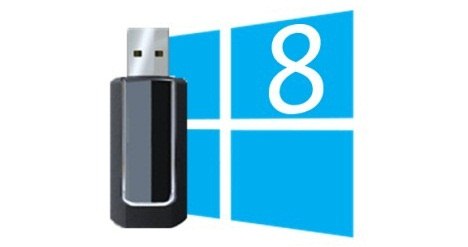
Windows
8 comes with Windows to go feature in this feature user can install the
windows 8 in a external pendrive or hard disk & boot it in any other
computer or laptop. But Windows To Go only comes with Enterprise version only.
9).Windows
Family Safety

Windows
8 integrated with Windows Live Family Safety in the OS. This allow
parent to restrict Web Sites, Windows App, computer limit usage. Parent control
had introduced in windows vista but removed in windows 7 & introduced as
windows live family safety.
10).Windows
Microsoft Account Integrated

User
can synchronize user data, Microsoft service that is Xbox live, Xbox music,
Xbox gaming and skydrive online file storage.
Did You Enjoy this Article ?
If yes, Then enter your email below to getmore such great articles in your inbox
For FREE !


 Posts
Posts


No comments:
Post a Comment