


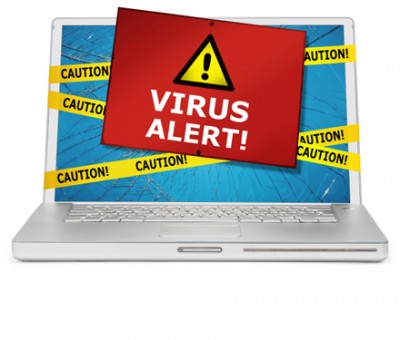
Here Are Some tips to protect your pc from viruses.
1). Install A Good Antivirus

Choosing a good antivirus like Quick heal, Avast, etc. can protect your computer from virus damage, the fact is you have to buy. But if you don't want to buy them then try free antivirus or trial antivirus to remove virus from your pc, many free antivirus that you can download online are Free Avg antivirus, avast free edition, and many more you can Google then and you find a long list of it. Antivirus detect the virus that can harm or harming your pc this is the great advantage of it but the main disadvantage is they takes very much amount of RAM for those who have low ram in there pc so i recommend to upgrade your ram.
Tips For Antivirus
- Regular Scan your pc for virus with your antivirus
- Update your virus program when update available.
- Keep your antivirus on forever Do Not turn off because it can damage your pc anytime.
- Scan Pen drive, Cds, DvDs or any external drive with antivirus before using it.
2).Install 3rd party Firewall.

Windows firewall is good but you can buy additional firewall for your OS to secure pc from virus or spyware from entering from internet. Firewall protects your pc from entering any virus that harms your pc from internet. Some firewall software are available on internet you can download it for free or try any firewall software before buying to it.
3). Keep Your OS Updated
If you want to help to protect your pc then you want to keep your OS up-to date, set your OS Automatic update On always. OS update fix any problem and hole which is caused by virus.
4).Use Only Trusted Sites For Downloading Any File

If you are going to download any file or software or any thing, think twice because 90% of virus comes from downloading files from untrusted sites with comes with virus these files are uploaded and waiting to be clicked and download. So I recommend to download any thing only from trusted sites. If you Getting confuse which site is trusted & which is untrusted then just install avast add-on to your web explorer which tell you with site is trusted suggested by people from worldwide.
5).Upgrade Your OS Version

If your using old OS version then its very dangerous for your pc & your pc may get attacked from virus as the version was old with old security of OS as compare to modern OS hence the virus work perfect on old OS. Upgrading the OS version help to keep your pc secure.
Choose OS based on its Security:- If you want to choose a right OS then install Linux because it have very high security resistance to virus.
Tips
- Remember to keep your Antivirus & Operating System Up-to date.
- Installing additional firewall can help virus from entering to your pc.
- Download any data from trusted sites only.
- Upgrade your old OS to New OS.
- Scan any pendrive, cd, DVDs or any other external disk before using them.
Did You Enjoy this Post ?
If yes, Then enter your email below to getmore such great articles in your inbox
For FREE !


 Posts
Posts


No comments:
Post a Comment